Description

Desktop Accounting Software • USA Version

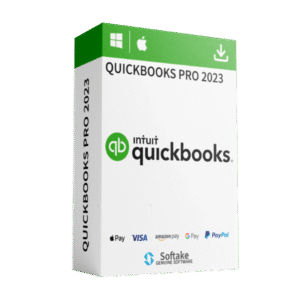
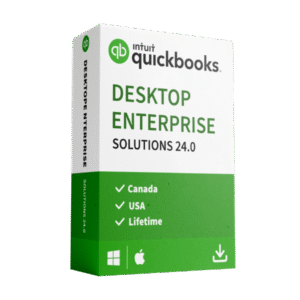
Intuit QuickBooks Desktop Enterprise Solutions 24.0 — Lifetime License

The most powerful QuickBooks Desktop — built for growing American businesses with a one-time purchase. No monthly fees. No renewals.
Payroll is not included — ideal if you don’t need payroll services.


✅ Lifetime License


🇺🇸 USA Version


✅ Desktop (Not Online)


❌ No Payroll Included

Why Enterprise Solutions 24.0 (USA)?

QuickBooks Desktop Enterprise Solutions 24.0 is the most flexible and powerful edition of QuickBooks — rated #1 for mid-market accounting. It delivers advanced inventory, 200+ customizable reports, up to 1 million list items, multi-user support for up to 30 users, and industry-specific tools — all without a subscription.

Lifetime License (One-Time Purchase)

This product is sold as a lifetime license—pay once and keep using it.
No recurring charges, no renewals, no subscription fees.

Important

Payroll is NOT included. If you need advanced inventory, invoicing, job costing, financial reporting, and multi-user access—this is the perfect fit.

Key Features

Advanced Inventory Management
FIFO inventory costing, mobile barcode scanning, bin location tracking, enhanced pick/pack/ship, multi-level categorization, and lot number reporting.
200+ Customizable Reports
Advanced Reporting lets you build custom financial, tax, job-costing, and profitability reports. Combine multiple company files into consolidated reports.
Up to 1 Million List Items
6x the capacity of other QuickBooks editions — store up to 1 million customers, vendors, employees, and inventory items as your business grows.
Up to 30 Simultaneous Users
Scale from 1 to 30 users with custom role-based permissions to protect sensitive financial data and control access.
Customer Prepayments & Deposits
Record customer deposits on sales orders and estimates. Prepayments are tracked as liabilities and auto-apply when converted to invoices.
Advanced Pricing Rules
Create automated, customizable price rules by item, customer, vendor, or category — giving you greater control over margins and profitability.
Job Costing & Project Tracking
Create estimates, track time and expenses against budgets, and generate detailed job costing reports to monitor profitability by project.
Invoicing & Batch Invoicing
Create professional invoices with your branding, custom fields, and design templates. Send batch invoices to multiple customers in a single step.
Industry-Specific Editions
Specialized tools for manufacturing, wholesale, contracting, retail, nonprofit, professional services, and accounting.
200+ Third-Party App Integrations
Connect with e-commerce platforms, CRM tools, and business apps including Webgility, Expensify, Method:CRM, and more.

✨ What’s New in Version 24.0

AES-256 Data Encryption
Upgraded from AES-128 to AES-256 for industry-leading protection of all locally stored company data.
Customer Prepayments on Sales Orders
Record deposits as current liabilities on sales orders and estimates — auto-applied when converted to invoices.
Multi-Level Inventory Categorization
Organize inventory with up to four levels of categorization. Use categories in pricing rules, reports, and batch list management.
Inventory Stock Status by Lot Number
New report for tracking inventory movement by lot number — essential for quality control and product recall management.
Improved List Search
Search bar added across all lists — classes, customers, vendors, items, payroll items, and fixed assets for faster navigation.
Seamless Background Updates
Product updates install quietly in the background with a toolbar notification — no more disruptive pop-ups.

Perfect For

  • Growing businesses needing enterprise-level accounting without a subscription
  • Companies requiring advanced inventory, multi-user access, and custom reporting
  • Businesses with complex pricing structures that need automated pricing rules
  • Manufacturing, wholesale, contracting, retail, nonprofit, or professional services firms
  • Teams of up to 30 users who need role-based access and permissions
  • Users upgrading from QuickBooks Pro, Premier, or older Enterprise versions
  • Anyone who does not require payroll

What You Receive

✅ Lifetime License Key
One-time purchase. No monthly/annual fees.
✅ Download & Install Instructions
Clear steps to get you running quickly on Windows.
✅ Email Support
Help with installation and activation.
Note: This is QuickBooks Desktop Enterprise Solutions 24.0 (USA version) and it is not QuickBooks Online.
Payroll features/services are not included.

System Requirements

Operating System
Windows 10 (64-bit) or Windows 11 (64-bit)
Processor
Minimum 2.4 GHz
RAM
8 GB minimum; 16 GB recommended
Disk Space
2.5 GB (SSD recommended for optimal performance)
Server (Multi-User)
Windows Server 2016, 2019, or 2022. RAM: 8 GB (5 users) up to 20 GB (20+ users).
Display
Optimized for 1280×1024 or higher. Supports up to 3 monitors.

FAQ

Is this a subscription?
No. This is a lifetime license (one-time purchase).
Does it include payroll?
No. Payroll is not included with this product.
Is this QuickBooks Online?
No. This is the desktop Enterprise Solutions edition for the USA. It installs locally on your Windows PC.
How many users can access the software at the same time?
QuickBooks Desktop Enterprise supports up to 30 simultaneous users with custom role-based permissions.
Can I manage multiple company files?
Yes. Enterprise supports multiple company files and can generate consolidated reports across entities.
Does it include advanced inventory features?
Yes. Enterprise 24.0 includes FIFO costing, mobile barcode scanning, bin location tracking, pick/pack/ship, multi-level categorization, and lot number reporting.
Can I connect third-party apps?
Yes. Enterprise integrates with 200+ third-party apps including e-commerce platforms, CRM tools, and business management solutions.
Can I upgrade from QuickBooks Pro or Premier?
Yes. You can move your existing company data from QuickBooks Pro or Premier into Enterprise Solutions. We recommend backing up your company file before migrating.
What’s the difference between Enterprise and Pro?
Enterprise supports up to 30 users (vs. 3 for Pro), stores up to 1 million list items, and includes advanced inventory, advanced pricing, advanced reporting, job costing, industry-specific editions, and 200+ app integrations that Pro doesn’t offer.

Ready to own your accounting software?

Get QuickBooks Desktop Enterprise Solutions 24.0 (USA) today with a lifetime license — no subscription, no payroll, no hassle.
*Product names and trademarks are the property of their respective owners.

Additional information

Version

Canada, USA

Customer Reviews

No reviews yet.

Recently Viewed